
Integrate AutoCAD Electrical with your ERP
Stop re-keying panel BOMs. Get them from schematic to ERP 5x faster.
Intelligent automation that reads your AutoCAD Electrical BOM, validates every line against the ERP, and builds the items, BOMs, and routings your panel shop runs on.
Integrate Your CAD
System With SYSPRO
Go from engineering to manufacturing 5x faster!

AutoCAD Electrical integration
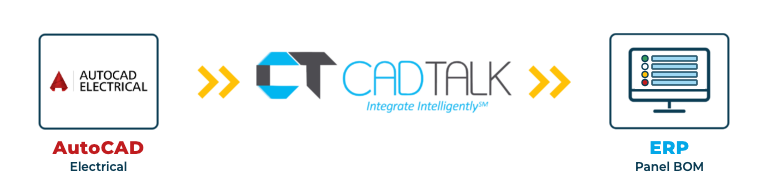
CADTALK ERP is an off-the-shelf integration between AutoCAD Electrical and your ERP. It reads the electrical BOM from your schematic's block attributes or from an exported report, and builds and updates the ERP BOM from it.
In a panel shop, someone usually keys every part off the schematic, project after project. CADTALK pulls the part numbers straight from the drawing. Coordinators review the BOM instead of typing it, and color-coded indicators show exactly what changed since the last run.
Every line is checked against the ERP before it's saved. Dropdowns pull live ERP values, and incomplete or invalid lines are blocked, so duplicate parts and wrong quantities surface for review instead of landing in the ERP.
Key AutoCAD Elecrical integration features


Why getting AutoCAD Electrical and your ERP talking pays off
Panel BOMs are long, detailed, and different every project. Keying dozens of parts per project, dozens of projects a year, adds up to real time, and every slip puts a wrong part on the purchase order.
Coordinators review instead of type
CADTALK pulls the part numbers from the drawing and builds the ERP BOM. The manual keying step goes away.
Bad lines stop before the ERP
Validation against live ERP values catches duplicates, wrong quantities, and missing data while they're still easy to fix.
The ERP BOM matches the schematic
The BOM keeps the drawing's sheet and line order, so nobody reorders it after import.
How CADTALK works with AutoCAD Electrical
Step 1: Read
CADTALK reads the BOM from the schematic's block attributes, or from an exported report when descriptions live in a lookup table. Live ERP dropdowns and line-by-line validation come into play before anything is saved.
Steps 2 to 4:
Frequently Asked Questions
Frequently Asked Questions
No. CADTALK validates every line against the ERP before saving, so bad rows show up for review instead of landing silently. Clean source data makes it smoother, and CADTALK enforces the rest.
Yes. CADTALK can read an exported Excel or CSV report, which carries the descriptions from your lookup tables.
Yes. BOM sequence is configurable to match the drawing by sheet and line number, and you can drag and drop to adjust it.
Yes. Electrical and mechanical sources feed the same ERP in one integration. Part numbering across the two is settled in discovery.
More questions about CADTALK in general? See the Integration Hub FAQ.
Still keying panel BOMs into your ERP by hand?
Book 30 minutes with a CADTALK solutions engineer. Talk to an expert.
