

- Home
- All Episodes
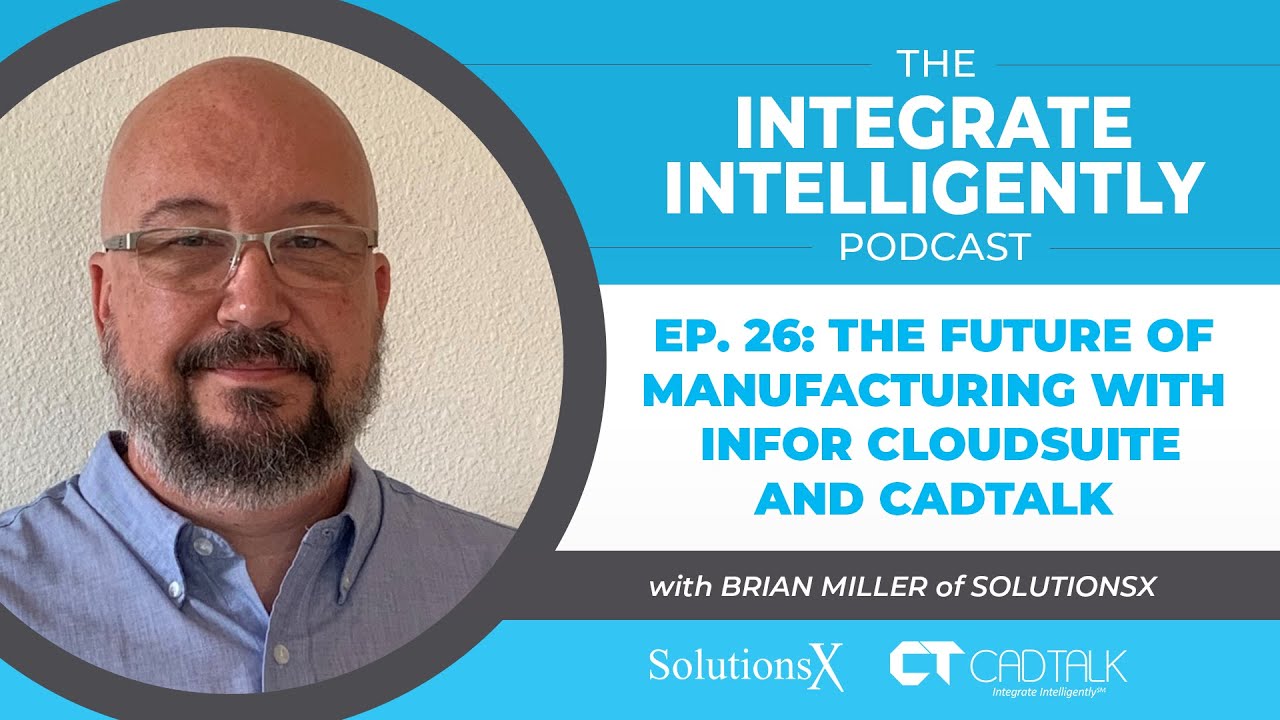
- Ep. 26: The Future of Manufacturing with Infor Cloudsuite and CADTALK w/Brian Miller of SolutionsX
Ep. 26: The Future of Manufacturing with Infor Cloudsuite and CADTALK w/Brian Miller of SolutionsX
{"email":"Email address invalid","url":"Website address invalid","required":"Required field missing"}
Join Jeff Brickler and Scott Brickler as they sit down with Brian Miller, a manufacturing industry veteran with over 25 years of experience, to explore the evolution and future of manufacturing with Infor CloudSuite Industrial (CSI).
Brian shares invaluable insights from his journey from engineering to ERP consulting at SolutionsX, discussing how manufacturing technology has transformed and where it's headed.
Learn about the power of modern ERP systems, the impact of AI in manufacturing, and how integration platforms are reshaping the industry. Don't miss this engaging conversation about the intersection of manufacturing, technology, and business transformation.
Full Episode Transcript
The Future of Manufacturing with Infor CloudSuite and CADTALK
The Integrate Intelligently Podcast — with Jeff Bickler, Scott Bickler (CADTALK), and Brian Miller (SolutionsX)
Jeff: Welcome back to The Integrate Intelligently Podcast. I'm your host, Jeff Bickler, joined as always by our founder and CEO, Scott Bickler, and today by Brian Miller of SolutionsX. We're talking about the future of manufacturing with Infor CloudSuite and CADTALK. As a quick refresher, CADTALK is an integration platform connecting CAD, PDM, and PLM systems with various ERP systems — Infor CloudSuite is one of those systems, and Brian's company, SolutionsX, is a partner of ours that sells and implements Infor CloudSuite. Brian, welcome. We always kick these off with the hero's journey — how'd you land in your role at SolutionsX, how long have you been there, that sort of thing — and then we'll get into manufacturing and Infor.
Meet Brian Miller
Brian: Thanks, Jeff, appreciate the invite. My background is about 25-plus years in industrial manufacturing — engineering by education, and I worked in capital equipment, specifically packaging machinery, similar to Scott and some others on this call. After a series of role changes through operations and IT — a bit of a peppered background — I moved into ERP consulting around 2015, so coming up on 10 years now. I made that shift because I enjoyed working with customers, seeing different environments, learning different aspects of manufacturing, and I genuinely wanted to help improve the manufacturing industry through tools like ERP systems — specifically Syteline. I spent about five years doing full-time operational consulting, plus some accounting-side work, though operations was always my focus. That led into a leadership role at SolutionsX, where I now work with our services team — the PMs, functional consultants, developers — to help deliver the product to the industry. We specialize in aerospace and defense, firearms manufacturing, chemical processing, capital equipment, given my background, and several others on the team cover industrial manufacturing broadly. I sometimes feel a bit out of place on these calls, honestly, since everyone else comes from a straight engineering or manufacturing background and I learned a lot of this secondhand.
Jeff: That's actually pretty interesting — you came from engineering into ERP, and in my experience, engineers usually want nothing to do with ERP systems.
Brian: [laughs] That's probably true. My path was a little different, since I really got exposed to it as an administrator once I moved from engineering into operations — around 2006. I went from a mechanical design engineer role, specifically in capital equipment, into more of an operations role covering supply chain, inventory, assembly, manufacturing — a bit of everything. I was just looking for a change, and that interested me. From that transition, I inherited administration of the ERP — I'd been a user of Syteline for maybe a year at that point, and then took on the admin role. This was back in Version 6, for anyone familiar — we're up to Version 10 now. Version 6 was probably written in the mid-to-late '90s, and I was running it in the mid-2000s: Progress databases, on-premise servers, all that. Moving into operations, and specifically supply chain and procurement, pulled me deep into the guts of the ERP — I'd worked functionally on the item side, building BOMs, subassemblies, then manually transferring all of that into the system. At that location we were using Autodesk Inventor, with some PLM system from Autodesk — I don't remember the exact name at the time, but we were mainly using it for the vault, Autodesk Vault, I believe it was called — still is, actually. That whole expansion exposed me to the finance side and a few other areas too, just through the administrative role.
Jeff: Your story's a bit different from what I usually hear. Most of my guests — Scott included — got into ERP because their company was implementing a new system and someone essentially got volunteered: "hey, you're running this part of the project," even if they'd never done it before. In your case, the company already had an ERP in place — this was more something you actively pursued as you moved into operations.
Brian: Yeah, that's fair — I don't know that I sought it out specifically, but it came with the job description. I'd also interacted with a few other ERPs before that — some smaller systems like E2 Shop Tech and Made2Manage — so I had some familiarity already. From that role, I moved into a couple of other positions at progressively larger companies, but there was always some system-oversight component to each one.
Evolution of Manufacturing ERP
Jeff: So you've been in manufacturing something like 30 years now, and specifically with Infor CloudSuite Industrial — also known as Syteline — for about 10, between working at SolutionsX and before that with the product itself. What has that evolution looked like? What did things look like when you started, and where do you see it heading?
Brian: My first real interaction with Syteline specifically was around 2006–2007, so that's coming up on 20 years as well. When I got into it, we were running a version that was already about 10 years old — really more like 30-year-old technology at its roots. The user interface was completely different from today, though ERPs historically haven't evolved all that fast on the UI side — that's actually a big focus for Infor right now, they're putting real resources into modernizing that experience. The upside of that slower evolution is the core engine is still very relatable — if you used it back in 2007 and dropped into today's version via time machine, you could probably find your way around without being totally lost.
Back then, there really wasn't much in the way of MES systems — things like Factory Track or shop floor tracking tools either didn't exist yet or weren't widely available. Everything at that point was on-premise, hosted locally — maybe you were on the edge of single-tenant hosting, where your server sat in another building someone else managed, but it was still effectively dedicated to you. True multi-tenant cloud didn't really become a thing until 2010–2012, and wasn't broadly adopted until the mid-2010s. Back then it was mostly manual data entry, hand-gathered information — but interestingly, the underlying mechanics haven't changed all that much. We're still doing job orders, labor transactions, issuing materials. What's changed is the experience around all of that. Multi-tenant cloud changed the platform side dramatically — now when a customer orders a new environment, they get an email within two days saying it's up. It used to be a month-long process of ordering servers, figuring out Windows Server versions, SQL versions. Now it's basically a button press behind the curtain, and everything deploys for you.
The other big shift has been pushing activity out to the actual point of use. In our world, we were building packaging machinery — case erectors, case packers — heavy mechanical manufacturing on the shop floor. There used to be a lot of writing things down on time cards, tracking what materials I used, handing a slip to someone in the stock room, who handed it to accounting, who entered it into the system two days later. There was real lag, and real risk that came with that delay. Now everything happens at the point of use — if I'm working a job on the shop floor, I log into the system, hit "start run," and it's tracking labor transactions in real time. If I use material, I can issue it immediately — backflushing works similarly — and I can log completed quantity on the fly, so at the end of the day, you actually know exactly what got done.
That was one major transformation. The other has been the expansion and integration of other applications into the ERP space. With Infor specifically, you've got Infor OS — Infor's operating service — which looks and feels like Syteline when you're in the Syteline application, but it's really a suite of products you can move between within one environment: factory track, shop floor execution, but also document management. Now, instead of a thick printed book of drawings — and yes, there used to be a person whose entire job was assembling print packages, printing them, sending them to the floor where people would mark them up, spill coffee on them, and reprint — everything's at your fingertips. We can link documentation directly to different areas of the software, and it surfaces automatically when you're working on the relevant item.
Workflow engines have also evolved tremendously. Most ERPs have some event system that can trigger actions, but historically that took a lot of development work to configure. Now we're seeing things like Infor's Ion workflows — a graphical interface where a power user, not necessarily a developer, can set these things up in hours or even minutes instead of days of costly, hard-to-change development work. So overall, a lot has changed in the user experience over the last 20 years.
Jeff: It sounds like — and we see this with technology broadly, even AI — complex things keep getting easier. Configuring the ERP, setting up servers, building out event-driven workflows — over the last 20-plus years, all of that has gotten simpler, to the point where people without deep technical training can do it. You don't need to be a full-blown developer to modify the system anymore, or a fully trained consultant — a lot of it can be done right in the system, much more accessibly. Core functionality's stayed the same, but ease of use for the average person has moved much closer to the point of use, like you said.
Brian: Absolutely — and the tools just keep getting more advanced. AI is obviously the buzzword of the year, maybe the century, and it's the tool everyone wants to leverage for that background knowledge. Same with RPA, robotic process automation — we have real use cases for that. We were just discussing one yesterday with a customer who has a pretty detailed BOM management and engineering change process. When they change one aspect of a bill of material, it can ripple across 200 different BOMs, because that item is used widely across their product line — and sometimes you're changing both the item and the quantity, which multiplies things further. Individually these are simple changes, but add them up and a single ECN might require 400 or 600 individual updates. None of those changes are technically hard — but doing all of them manually is prohibitively laborious, which pushes people toward workarounds that are usually worse than what's actually built into the software. Using tools like RPA lets us automate that, remove the barrier to using the core tool properly, and meaningfully improve both the experience and the quality of the underlying data.
The Future of Manufacturing Technology
Jeff: Tell me more about how you're seeing AI actually used — I know it's the buzzword, but before that it was machine learning. How do you see AI showing up in manufacturing, or specifically within the Infor ecosystem?
Brian: I think we're a little bit on the forefront of this, honestly, because manufacturing tends to be one of the slower industries to adopt new functionality like this — [laughs, noting Scott's knowing smile] — clearly familiar territory. But it's a real advantage if you can actually build out the models. What most people don't appreciate is that you have to build the underlying information structure for AI tools to be genuinely useful — there's no magic button, no "hey Amazon" moment that just automatically knows what to do. Someone's behind the curtain building that out. We've had success creating some smaller-scale examples, but the real challenge is helping people open their minds to where AI could actually be useful for them, and finding those specific, applicable use cases. That's probably the biggest barrier right now.
Jeff: We had a similar conversation last week with a different partner — same theme: identifying concrete use cases you can actually show a customer, something they can understand and see real value in.
Brian: It really does seem to center around decision-making — places where a person would normally be making a judgment call, or aggregating data manually — and having AI surface that data, or assist in the decision at the moment it's needed. That's what I've seen so far, at least.
Scott: That tracks with what we've seen too — surfacing decisions, making data more accessible, automating something that used to be heavily manual. Those seem to be the real use cases, but the use cases themselves are still the limiting factor.
Brian: Right — and it comes down to actually being able to leverage the data that naturally accumulates inside the ERP. Take purchasing decisions: if you've got years of purchase history across different vendors, prices, and origins, doing a detailed freight-cost analysis by hand is genuinely laborious. It's probably valuable work, but the cost-benefit math usually kills it, because nobody wants to spend three days on that analysis. AI can take away that heavy-lifting barrier and actually do the research — but again, that only works because you've been building out that underlying data model through years of normal system use. Layering AI on top of existing databases and existing information systems is really where things are about to take off. It's a little frustrating right now not knowing exactly how to apply it everywhere, but it's also an exciting time — the people who figure it out early are going to see a real productivity jump.
Scott: There's been a promise for years around ERP — turning data into information, into actual decision-making ability. Business intelligence was a big push around pulling data out into a reportable format so people could make better decisions, but that still took real effort — you had to know how to model the data properly to get there. It feels like that promise, harnessing all the data ERP naturally collects, keeps getting closer to reality as the tools improve, and AI is just the next evolution of that — potentially even helping you build the models and make sense of the data in the first place.
Brian: Right, though like you said, there's still real setup required — it's not automatic.
Jeff: One thing we talk about a lot is how much AI's usefulness depends on the quality of that underlying data. We had a similar conversation last week with another partner — from CADTALK's perspective, it comes down to getting good-quality, consistent data. If you don't have that, even with the right use case, you're not going to get good decisions out the other end.
Brian: Garbage in, garbage out — same as it's always been. We always say computers are stupid, they only know what you tell them. Feed them the wrong thing, you get bad information back.
Jeff: It feels like that matters even more with AI — it's always mattered, but now there's an added abstraction layer. Before, at least someone was still generating reports off the raw data in the ERP. I listened to a podcast this morning with Marc Andreessen, the venture capitalist, talking about how AI could become just another layer on top of technology, where humans stop interfacing with the raw data entirely — they just get the AI's assessment. His concerns were more around bias in the models, training data, that broader conversation — but it comes back to the same fundamental issue: the quality of the underlying data, and the fact that people increasingly won't have direct access to it. They'll just be interacting with the AI model, which may not even surface the fact that the underlying data is unreliable.
Brian: Right, you're removing that human check entirely. There's real apprehension around that — a lot of people are understandably nervous. We've all seen the AI-generated images floating around social media with extra fingers or feet where hands should be — it just doesn't get things quite right all the time, and there's no human-level filter catching those obvious mistakes. So there's definitely work still to do. It's not the magic pill or the easy button everyone's hoping for — but it genuinely helps. I use tools like ChatGPT to optimize information regularly — you still have to do some legwork and provide intelligent inputs, but it can do a lot of the massaging for you and save real time, as long as you use it properly. You have to know when to lean on it and when not to, and what to actually feed it — I've heard stories of AI tools confidently steering people in a direction that's clearly wrong, just because it's trying to confirm whatever the person is asking.
That's maybe going down a bit of a rabbit hole, but Scott, you mentioned reporting earlier, and I think that's a huge opportunity once these tools mature further. BI tools are a massive topic in this space right now — getting data into a genuinely usable format is really the golden ticket. If we get to a point where you can literally just tell the system what report you want, what data to pull, and have it come back clean, that'll be hugely impactful, because report development today is costly, time-consuming, and hard to change — the same issues I mentioned earlier around workflows apply directly to reporting too. Getting good information out easily is a real game-changer.
Jeff: So you still need critical thinking to verify it's telling you the truth — but beyond that, automating the redundant, heavy-lifting steps is where the real speed comes from.
Brian: Exactly — when it tells you something that just doesn't make sense, you still need the judgment to catch that and dig in.
Infor Ecosystem & Integration
Jeff: Let's talk about the Infor ecosystem — CADTALK is part of that ecosystem, along with a lot of others. How do other products complement Infor Syteline, or CloudSuite Industrial? ERPs can't do everything, even though everybody wants theirs to be the one system that meets every need. Sometimes something just doesn't make sense as a core ERP competency. Talk about the value of that broader ecosystem — CADTALK included — and why customers need it.
Brian: I'd say the biggest shift over the last five years has been moving away from deep system modifications and toward integrations, as APIs have matured and become much more available and easier to work with. We no longer have to figure out how to force the ERP to replicate something another tool already does better — we can just integrate with that tool directly. It's still work, but it's different work, and much lower risk, because as everything moves toward cloud environments, automated updates, and SaaS models, staying as close to the core, unmodified product as possible becomes critical.
In the past, if you were going down a CADTALK-type path, you might have built a process for importing data from an external PLM system — which meant creating custom fields, custom IDOs, custom table structures. We had the knowledge to do that correctly, but it's much simpler now to just integrate with that tool, let it operate in its own space, and pull only the information you need, automated. When we do a periodic upgrade of the ERP or any component in the cloud suite, that setup is far more stable and much less likely to break anything — because we're just communicating back and forth along an established path, not modifying core functionality. Same logic applies to CRMs, marketing tools, all sorts of adjacent systems.
Jeff: That tracks with the two broad philosophies I've seen among ERPs — either try to be everything, bundle every function into the core system, or take the approach you're describing: make it easy for other systems to do what they each do best. It's genuinely hard to be excellent at everything, no matter how much a vendor wants to be. Letting each piece of software shine at what it's best at, and letting something like CADTALK bridge them via APIs, means you're not customizing the core ERP just to handle something outside its strength. The trade-off is you have to learn more systems — but in a lot of ways, that actually makes it easier to stay current and upgrade the ERP itself.
Brian: Right, and it gives you the flexibility to pick the best tool for each job — because nobody does everything best. You want the best ERP, the best CAD integration, the best CAD system, maybe the best CRM — whether that's Salesforce, HubSpot, or Infor CRM. It lets you choose the right tool for your specific application without being boxed in by some other unrelated strength or weakness of the core system. Maybe the ERP has a great quality module, and that pulls you in a certain direction — but that shouldn't be a limiting factor on how you choose your CAD integration.
Inside SolutionsX's Implementation Approach
Jeff: Let's get back to SolutionsX itself. You mentioned you're now more of an operations specialist after years as a consultant — walk us through SolutionsX's approach to implementing customers. How's that evolved, and how has your role shaped it?
Brian: SolutionsX's implementation methodology is really a refinement of Infor's own deployment method, IDM — a five-stage implementation process. A lot of ERP vendors use a similar structure, just with the pieces arranged differently. What we've found, working with our niche customers — manufacturing companies, generally in the $50–500 million revenue range — is that certain aspects of the project fit naturally into a specific flow. Infor has fun names for the stages — Inception, Elaboration, and so on — and we follow that structure, but really it's about discovering how the tool can best meet your business requirements, while also guiding the customer through understanding how their business can adapt to fit the tool. People want to buy the new system and immediately make it replicate exactly what they were doing yesterday — but that's not always the right move. These projects are large, disruptive, and expensive — real negatives — but the upside is a genuine opportunity to transform how the business runs. We focus heavily on process management and re-engineering where it makes sense.
Anywhere you've worked, you've run into "because we've always done it that way" — and when you actually drill into a specific process that doesn't quite make sense anymore, you usually find nobody actually remembers why it's done that way. The person who made that original call retired ten years ago, or it was death by a thousand small accommodations that made sense at the time but are no longer relevant because the tooling has changed. There's a real difference between reading a help screen on how to enter a customer order or a PO — mechanical stuff you can learn from a YouTube video — and the actual business knowledge: understanding, from experience, how all the pieces interact with each other. That was really my strength as a consultant — a strong handle on how each piece of the business affected every other piece, which matters enormously for guiding the right decisions at the right time. If you run five workstreams in parallel and only reconcile them at the end, you'll almost certainly find some of your earlier decisions were wrong. We build that cross-functional awareness directly into our implementation methodology, and we've found it works well.
Jeff: How long does a typical project run? I know it depends heavily on size — a multi-site global rollout is a very different animal.
Brian: Generically, 6 to 24 months — realistically, 12 to 18 months for most projects, representing somewhere between 1,000–1,200 hours and 3,000–4,000 hours of consulting effort. A lot of factors go into that. One is simply the breadth of what you're implementing — one nice thing about modern SaaS offerings is they tend to bundle in everything, so modules you'd have paid extra for in the past, and might not have had — quality control, service management — now often come included with the core software, so it's just a matter of turning them on and using them. The other factor is the size and complexity of the organization. We've had an edge case on the small end — about 10 ERP users, not a startup, but a fairly small business. On the opposite end, we have a customer running 27 different sites in the ERP, spread across roughly four continents — several manufacturing sites, plus sales and distribution locations. That project took several years, partly because of the technical work, but mostly because of the rollout strategy — you can't just flip a switch for a company that size. You have to figure out who goes first, who goes second, and how you manage the interim period where people are running on two different systems, or best case, two different versions of the same system.
In that specific case, the sites weren't even on the same version or platform — some were SaaS, some on-premise, and within the on-premise world, there were actually four separate instances, even though everyone technically called it "Syteline." Every site had a different item structure, a different way of entering customer orders — when we got everyone in the same room, it turned into people practically throwing accusations across the table trying to figure out who'd lead the transition. Projects like that add real complexity, but in the end, they genuinely benefited from finally streamlining onto one consistent set of tools — because even though they were nominally on the same ERP before, they were operating completely differently, and that inconsistency was creating a lot of unnecessary extra work.
SUN Conference 2025 Preview
Jeff: Brian, every year there's the SUN Conference — the Syteline User Network conference — coming up this February. CADTALK always attends, usually with a sponsorship and a booth, meeting customers and partners like SolutionsX. How does SolutionsX typically show up at that kind of event — will you have a booth this year?
Brian: We've been involved with the Syteline User Network and their conference for many years, and our presence has grown along with the business. We'll have a booth again this year. As a channel partner, you're not really there to compete for new business the way a vendor might — but there are two reasons we show up. One is straightforward brand recognition — some people just want to see your name on the table and on the signage. Two, we now have a products division with offerings for the Syteline space, and it's a great venue to get those in front of the entire community. We also always run a content session — our approach tends to avoid the heavy sales-pitch style some vendors lean on; we'd rather deliver genuinely useful content and just close with a quick "come find us at the booth if you want to learn more." Last year, for instance, our solution consultant Joey Heims did a great session on Ion workflows and some AP automation tools he'd built out. We'll have something similar this year — I don't think the schedule's out yet, so I can't say exactly when. Sounds like you all do something similar — always a great event, honestly the premier Syteline event of the year, and it's always in a good spot. This year it's out near LA, close to Disney.
Jeff: Nice — good venue. Brian, anything else on the horizon for SolutionsX the audience should know about?
Brian: We're always developing new tools and working on getting them out onto distribution channels — Infor has its own marketplace, and there are a few others through channel partners, plus we market directly to our own customer base. We've had the pleasure of closing some of our largest projects ever over the last 12 months, in 2024, and several of those larger projects included robotic process automation and some other advanced tooling. So we're not just implementing those projects — we're also starting to build out reusable content and use cases around them, because one thing that consistently falls short when vendors release these newer tools is documented use cases; that work tends to fall to the partner network to build out. We're excited to be part of that — we sit on a few Infor advisory councils and are glad to help shape where the product goes.
Jeff: If listeners want to get in touch — whether about the Infor product, SolutionsX's own offerings, or just to connect with you directly — what's the best way?
Brian: Like everyone, we've got a dozen ways to reach us — the most general is info@solutionsx.com, but if you want to reach me directly, especially with a question about specific content, it's brian.miller@solutionsx.com. I'm also on LinkedIn and the usual platforms — feel free to reach out directly, or go through the general channel if you're just looking for project information.
Closing Thoughts
Jeff: Brian, this has been a great conversation — I always enjoy talking with our partners. I work with a lot of different ERP ecosystems, and CADTALK tries hard to stay neutral in those conversations — our goal is really to help our partners help their customers. Good to hear more about the Infor CloudSuite Industrial ecosystem, your methodology, and where things are headed for you all. Really appreciate it. Thanks, everyone, for listening — please subscribe on YouTube and wherever you get your podcasts. If you'd like to connect with Brian, reach out through LinkedIn or SolutionsX.com, and feel free to drop by cadtalk.com or leave us a comment about what you heard today or what you'd like us to cover next. Scott, anything to close us out?
Scott: No, I think it's a great overview — a great discussion around the Infor infrastructure. I've been around it for a long time myself, so it's always cool to see it keep evolving and growing. Looking forward to the SUN Conference this year — it'll be a good one.

CADTALK for IFS Cloud uses artificial intelligence (AI) to automate the transfer of engineering bills of materials (eBOM) from virtually any CAD, PDM, or PLM application into IFS Cloud for manufacturing routing. All of this can be done in minutes, reducing the handoff from engineering to manufacturing by 80% with a return on investment in about two months.
How does it work?
CADTALK generates bills of materials, routing operations, items, inventory records, and other data inside IFS Cloud. Support for document management, materials and routings is possible right out of the box. CADTALK creates ongoing bi-directional dialog between systems to take design intent to complex manufacturing execution seamlessly.
What are the benefits?
As the official partner for IFS Cloud, CADTALK implementation is fast and no customization is required.
- Automatically create new inventory parts and product structures
- Quickly generate and update BOMs
- Create rules-based manufacturing routings
- Open API and native configuration capability
- Improve accuracy
- Reduce purchasing errors
- And so much more.
Contact CADTALK today to learn more and get started today.
CADTALK is an IFS Gold Solutions Partner and the official partner for IFS Cloud.